Remote hands in the middle of the night: how 24/7 support works when your network goes down at 3 AM (and why a bad contract won’t save you)

When your network goes down at 3 AM on a Sunday, the cost of every minute of downtime can run MXN $50,000-200,000/hour depending on the operation. 24/7 remote hands support exists precisely for these moments, but its effectiveness depends on how well you understand how it works, what’s included, and what isn’t. This article explains the 3 support tiers, response times by schedule, the associated costs, and the 4 typical mistakes companies make when contracting this service.
The article applies to operations with distributed infrastructure (branch offices, sites, POPs) where local response time is critical. For a single DC with business-hours support, 24/7 is less relevant.
Why the middle of the night is the most vulnerable window
Operational statistics:
- 60-70% of network failures occur outside business hours (nights, weekends, holidays).
- Reason: software updates, scheduled reboots, and maintenance tasks are run during low-activity windows.
- Additionally: utility (CFE) power failures, voltage spikes, and weather events happen at any time.
If your operation only has business-hours support (9-6 Mon-Fri), 70% of potential failures have no immediate response. The result: 12-72 hours of downtime depending on the day/hour.
24/7 support cuts maximum downtime to 30-60 minutes (depending on the provider). For operations where the cost of downtime is high, the savings justify the investment.
The 3 remote hands support tiers
Not every provider offers the same. The 3 typical tiers:
- Tier 1 — On-call 24/7: the provider has staff available by phone and ticket 24/7. Phone response time: 5-15 minutes. On-site response time (if required): 30-90 minutes. Cost: 1.5-2x daytime rate.
- Tier 2 — On-site standby: the provider has a technician physically at the DC 24/7. On-site response time: immediate (5-15 minutes). Cost: 3-5x daytime rate. Only viable for enterprise DCs with critical SLAs.
- Tier 3 — Hybrid: 24/7 phone support + on-call technician who can arrive within 30-60 minutes from home. Cost: 2-3x daytime rate. The most common tier for mid-size DCs.
For SMBs and mid-size DCs, tier 1 or 3 is sufficient. Tier 2 (on-site standby) is expensive and only pays off when the end-customer SLA demands sub-15-minute response.
How it works in practice (real example)
Scenario: core switch failure at 3 AM on a Sunday.
- Your monitoring system detects the switch down (3:05 AM). It fires an alert to your company’s NOC.
- NOC operator diagnoses remotely (3:10 AM). Confirms it’s a physical failure requiring on-site intervention.
- NOC operator opens a ticket with the remote hands provider (3:15 AM). Type: emergency, network down.
- Provider confirms receipt (3:17 AM, 2-minute response). Assigns an on-call technician.
- Technician arrives on site (3:50 AM, 35 minutes from ticket creation). Replaces the switch with a spare.
- Network operational (4:15 AM, 1 hour 10 minutes from failure).
Total downtime: 1 hour 10 minutes. Without 24/7 support it would be 8-12 hours (until business hours). 24/7 support saved 7-11 hours of downtime. At MXN $50,000/hour, the savings are MXN $350,000-550,000 per incident.
The cost of tier 1 24/7 support with a typical provider: MXN $8,000-15,000/month. The ROI is obvious with a single incident per year.
The costs tied to 24/7 support
Typical pricing model:
- Monthly base fee: MXN $5,000-15,000 depending on DC and provider. Covers service availability; does not include intervention hours.
- Per-intervention hourly rate: 1.5-2x the daytime rate. Typical: MXN $1,500-4,000/hour.
- Minimum billable time: 1-2 hours per night-time intervention (vs 30 minutes in business hours).
- Holiday surcharge: 2-3x the night rate. Holidays and long weekends are the most expensive.
The real cost of 24/7 support depends on the number of nighttime incidents. If you have 2-3 incidents per quarter, total annual cost is MXN $80,000-180,000 (base fee + interventions + surcharges).
With no incidents, the cost is just the base fee. But if you have 0 nighttime incidents per year, you may be overpaying for the service.
When 24/7 support is worth it
3 scenarios where it’s clearly an investment:
- Operation where downtime cost is higher than MXN $30,000/hour. Any failure lasting more than 1-2 hours already justifies annual support.
- Enterprise clients with strict SLAs. If your client demands 99.9% uptime, 24/7 support is necessary to meet it.
- Distributed infrastructure (multiple sites). When you have 5-10 sites, the probability of a nighttime failure in some site is high. Centralized support is efficient.
In these 3 scenarios, 24/7 support is an automatic decision. Not having it is accepting unnecessary risk.
When 24/7 support is NOT worth it
3 scenarios where it’s not an investment:
- Low-impact operation. If your servers can be down for 24 hours without affecting revenue (non-critical internal systems), 24/7 support is overkill.
- Redundant infrastructure. If you have N+1 or 2N, a single failure doesn’t cause downtime. 24/7 support can wait until business hours.
- Operation mid-migration to the cloud. If you’re going to shut down the DC in 6 months, 24/7 support won’t pay off.
In these 3 scenarios, business-hours support is enough. Don’t spend on what you won’t use.
The 4 typical mistakes when contracting the service
Common mistakes that cost money:
- Mistake #1: contracting without measuring the real frequency of incidents. If you have 1 nighttime incident per quarter, the annual cost can be excessive vs the risk. Measure 6-12 months before deciding.
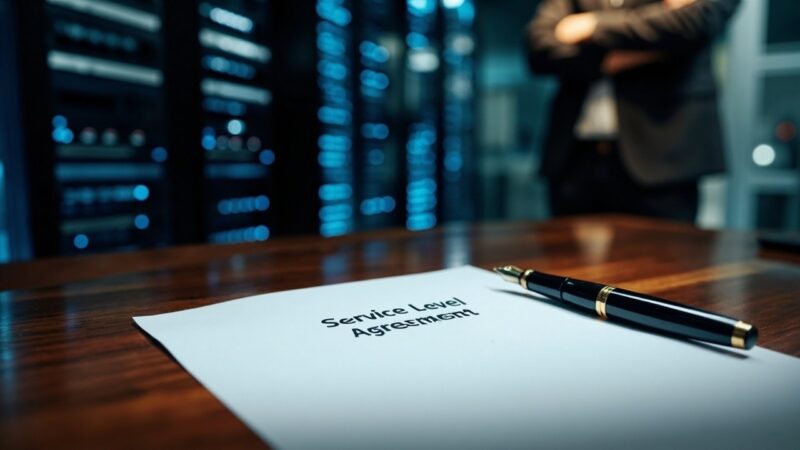
- Mistake #2: not specifying response time. ‘24/7 support’ is ambiguous. Demand an explicit SLA: ‘phone response time <15 minutes, on-site response time <60 minutes during night hours’.
- Mistake #3: not having a clear escalation procedure. What happens if the provider doesn’t answer in 30 minutes? Who do you escalate to? Define this BEFORE you need it.
- Mistake #4: forgetting the holiday surcharge cost. Incidents on Christmas, New Year, and Holy Week cost 2-3x. If your operation can avoid those dates, do it.
The 4 mistakes together can make your 24/7 support cost 2-3x more than expected without generating twice the value. Clear contractual specification is the defense.
How to structure the contract for maximum value
Clauses you should ask for:
- Explicit phone response time SLA. Typical: <15 minutes for normal incidents, <5 minutes for emergencies (network down).
- Explicit on-site response time SLA. Typical: <60 minutes in the primary city, <120 minutes in the secondary city.
- Night rate differentiated from holiday rate. No hidden charges, no surprises on the bill.
- Monthly intervention report. To validate you’re using the service and negotiate if you aren’t.
- Penalty for SLA breach. If the provider doesn’t meet the response time, there’s a discount on that incident’s bill.
These clauses are standard in mature data centers. If your provider resists, they’re admitting their service can’t commit to specific levels.
The operational plan to actually use support effectively
Having 24/7 support isn’t enough. Your NOC must demonstrate:
- 24/7 monitoring system. If you don’t have a NOC that detects the failure, 24/7 support doesn’t get activated. You need automatic alerts.
- Documented escalation procedure. Who calls the provider, what number, what ticket ID, what information to provide.
- Staff with authority to decide. If the night operator can’t authorize an intervention because ‘they need their boss’s approval’, the SLA is lost.
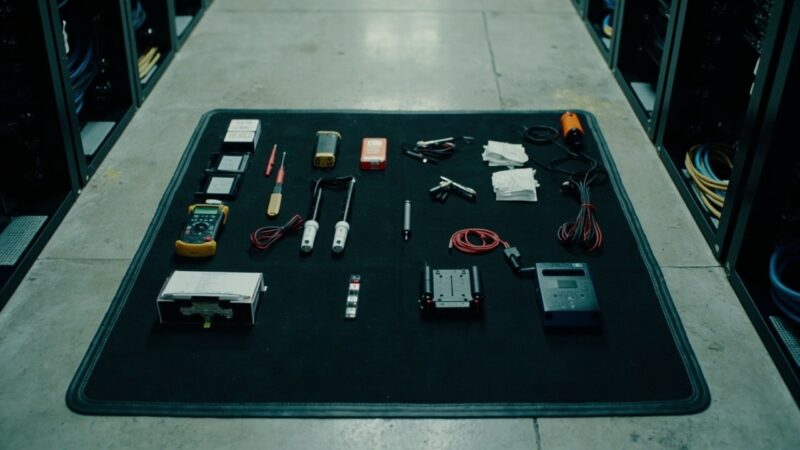
- On-site spare parts inventory. The remote hands technician arrives, but if there’s no spare, they can’t fix it. Keep stock of critical parts.
These 4 points together turn 24/7 support into an effective service. Without any of them, you’re paying for something that doesn’t work in practice.
When it’s time to switch providers
Warning signs of a deficient 24/7 provider:
- Phone response time consistently higher than 30 minutes on emergencies. SLA breach.
- On-site technicians without proper training. You have to explain to them step by step what to do (it’s Smart Hands disguised as Remote).
- Inflated billing or undocumented charges. If you can’t verify the hours billed, be suspicious.
- Lack of post-intervention report. If the technician closes the ticket without photos, without a log, without metrics, the service is deficient.
If you have 2 or more of these signs, it’s time to look for an alternative provider. The switching cost is operational friction for 1-2 months, but the benefit is 2-5 years of reliable service.
3-year total cost of ownership
Comparison for a mid-size DC with 4 nighttime incidents/year:
- Monthly 24/7 fee at tier 1: MXN $12,000 × 36 months = MXN $432,000.
- Interventions (4 × 4 = 16 incidents over 3 years): 16 × MXN $2,500 average = MXN $40,000.
- Holiday surcharges (assume 3 incidents on holidays): 3 × MXN $5,000 = MXN $15,000.
- Total support: MXN $487,000 over 3 years.
- Savings from avoided downtime (4 × 8 hours saved × MXN $50,000/hour): MXN $1,600,000.
ROI: the support costs MXN $487,000 and saves MXN $1,600,000 in downtime. ROI is 3.3x. Without support, failures cost MXN $1,600,000 over 3 years.
If your CFO approves 24/7 support, they’re accepting to spend MXN $487,000 to avoid MXN $1,600,000 in downtime. The decision is clear.
Summary: the 4 operational rules
To run 24/7 support effectively:
- Rule #1: your own 24/7 monitoring system. Without it, the provider’s support doesn’t get activated.
- Rule #2: contract with explicit SLAs. Phone response time, on-site response time, holiday surcharges, penalties.
- Rule #3: spare parts inventory on site. Without spares, the provider’s intervention isn’t effective.
- Rule #4: monthly service review. Intervention report, SLA compliance, costs. If it fails, escalate.
These 4 rules turn 24/7 support from an expense into an investment. Without them, you’re paying for an insurance policy that doesn’t apply when you need it.
Sources
- Uptime Institute — https://datacenter.uptimeinstitute.com/
- TIA-942-B-2023 — https://www.tia.org/standards/tia-942
- BICSI 002-2024 — https://www.bicsi.org/standards/data-center
- ITIL 4 Foundation — https://www.axelos.com/certifications/itil-service-management/itil-4-foundation
- ISO/IEC 20000-1:2018 — https://www.iso.org/standard/70636.html
Want to master this?
Noxtel Academy →