The Remote Hands Kit: the 12 Tools Your Provider Should Bring to the Rack (and How to Know If They Have Them)
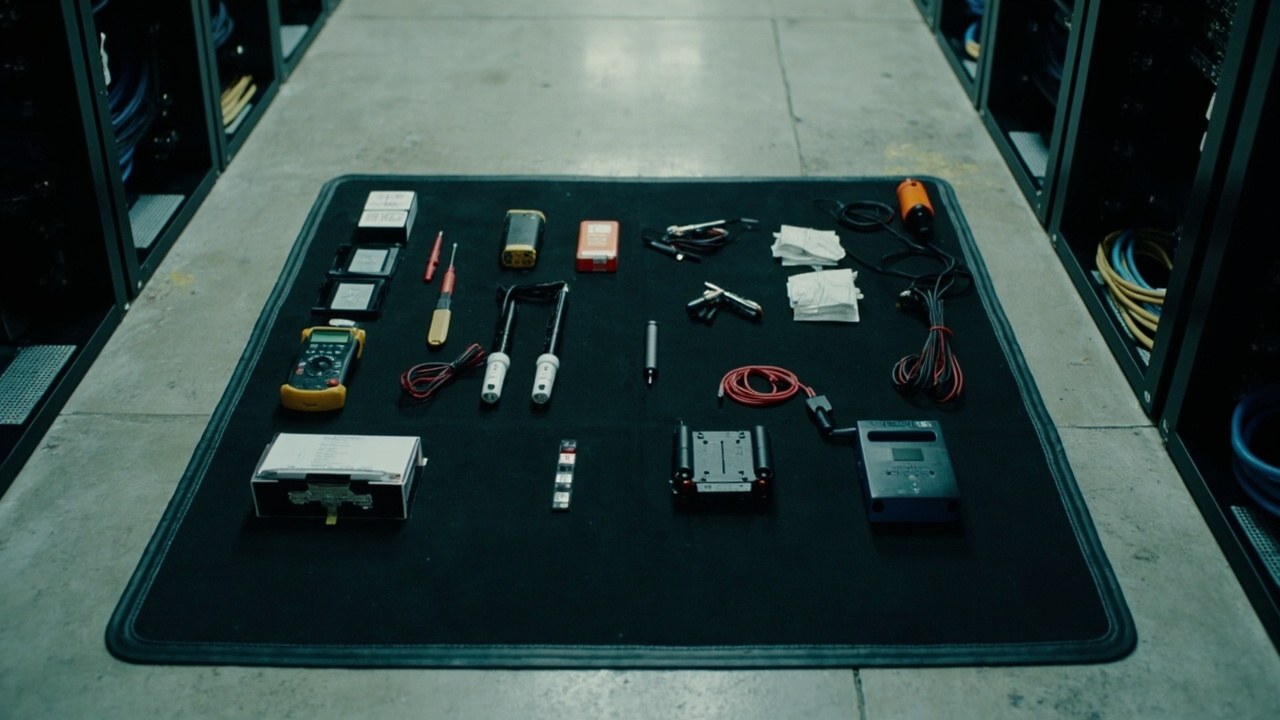
The difference between a serious remote hands provider and an improvised one is in the kit they bring to the rack. A technician without the right tools cannot do the job, improvises with whatever he finds in your room (cables he should not be touching, inadequate screwdrivers that strip screws, labels that peel off after a month), and ends up leaving work for you to redo. This article covers the 12 tools your provider should bring on every visit, how to audit the kit before it reaches the rack, and what to do if something is missing.
What follows applies to data centers that contract remote hands providers. If you have in-house technicians in your own DC, the kit is the same. The difference with external field services is that you have less direct control and you need the checklist to verify it.
The 12 tools in the standard kit
Numbered list of what a professional remote hands technician should bring on every visit. Any missing item is grounds for a red flag:
- Torque screwdriver with a calibrated scale of 4-12 in-lbs. For tightening cage nuts without overshooting the torque that damages racks or equipment. Typically a Setter Torque 4-12 in-lbs or equivalent.
- True RMS digital multimeter. For measuring PSU voltage, cable continuity, and verifying that a device is receiving power correctly. Standard brands: Fluke, Klein, Amprobe. True RMS is essential for measuring non-linear loads (which is what servers have).
- Network cable tester. Verifies continuity, short circuits, and RJ45 pin mapping. A basic model that supports PoE so you can verify cables for APs and phones.
- Professional label printer. Brother P-touch, Dymo LabelWriter, or Brady. For labeling ports, cables, and equipment with readable codes on industrial-grade adhesive. An office label maker does NOT work (the labels peel off in 2 months).
- Tactical LED flashlight (not the phone). To light up the inside of dense racks, check equipment LEDs in deep zones, and read labels in low-light conditions. Minimum 200 lumens.
- Console cable (RJ45 to USB or DB9). To connect to the console port of switches, routers, firewalls, and servers when you do not have functional KVM over IP. Minimum length 3 meters.
- Bootable USB drive with diagnostic ISO images. Minimum 2 units (for redundancy). To boot servers in live mode (Linux, Windows PE) and diagnose without touching the local disk. Capacity 16-32 GB, USB 3.0.
- Spare patch cords, RJ45 Cat6A, 1m, 2m and 3m. Minimum 4 of each length. If the technician arrives without patch cords, he improvises with cables from your rack or leaves without finishing.
- Industrial-grade velcro ties or zip ties. To organize cables after any intervention. Do NOT use hardware-store zip ties (they degrade with heat). Quantity: a 5 meter roll of velcro or 50 industrial zip ties.
- Color tape (color label tape). To mark cables by function (blue = network, yellow = power, red = storage, green = management). Color system documented in TIA-942-B.
- External SSD drive with operating system images. To reinstall servers if the situation requires it. Minimum 500 GB with USB 3.0/3.1.
- Basic tool kit (Phillips #2, flathead, pliers, cutter). To open cabinets, cut tape, adjust brackets. These are not the main kit but they complement it.
If your provider arrives with fewer than 10 of these 12 items, he does not have a professional kit. He may be competent for simple tasks (rack & stack, labeling), but for diagnostic or complex replacement work he will come up short.
How to audit the kit before it reaches the rack
The right moment to audit is when the technician arrives at the DC, before he opens a single rack. Suggested procedure:
- The technician opens his tool case or toolbox on the work table or on the floor, in a place where you or your NOC can see it.
- You go through the list of 12 items. Mark the ones that are present. Do not assume he has them, verify visually.
- If a critical item is missing (torque screwdriver, multimeter, label printer), you have the right to refuse the work or to ask him to come back with the complete kit.
- Document the audit with a timestamped photo of the kit laid out. This is useful if there are incidents later.
Audit cost to you: 3-5 minutes per visit. Cost of not auditing: if the technician has no label printer and leaves cables unlabeled, you will pay 2-4 additional hours on the next intervention to identify ports. The audit is obvious.
Why the kit separates the serious provider from the improvised one
The cost of a professional remote hands kit is between $25,000 and $50,000 MXN per technician. If your provider has 5 technicians, that is between $125,000 and $250,000 MXN in tools alone. You can see that in the service price, and also in the quality:
- Improvised provider (no professional kit): charges cheap, arrives with a basic kit, improvises with whatever he finds. Result: slow work, bad labeling, risk of damage to your equipment. Common among freelancers or individual technicians.
- Serious provider (with a professional kit): charges 30-50% more, arrives with the complete kit, finishes the work in the estimated time, leaves documentation. Common among field services companies with structure.
The price difference is $300-500 MXN per technician hour. The difference in wasted time is typically 1-3 hours per intervention due to redone work. For data centers with 20+ interventions per month, the real question is: would you rather pay $300 more per hour and save 60 hours of rework per month, or pay less and live with the rework.
The tools that go missing when there is improvisation
The 5 kit items that most typically go missing at improvised providers:
- Torque screwdriver (the most expensive item in the kit). The technician improvises with a common Phillips and overtightens, damaging the rack or the cage nut.
- Bootable USB drive. Without it, he cannot diagnose operating system problems and ends up reinstalling for no reason.
- Console cable. Without it, he cannot reach the equipment when KVM over IP is down. He ends up requesting remote access to your equipment from inside the DC, which is a security risk.
- True RMS multimeter. With a regular multimeter he does not detect peaks on non-linear server loads. Erratic diagnosis.
- Color tape and a professional label printer. He improvises with masking tape and a marker. The tape peels off in 2-3 months, the labels in 6. Your rack ends up in identification chaos.
If the provider is missing 3 or more of these 5 from his typical kit, reconsider the relationship. Not because they are bad people, but because they do not have the structure to sustain the service your DC requires.
How to specify the kit in the contract with your provider
If you are hiring a new provider or renewing a contract, include in the contract:
- A technical annex with the list of the 12 minimum kit tools. Specify brands or models if your data center has standards (e.g.: ‘Fluke 87V for the multimeter’).
- Documented quarterly calibration for measurement tools (multimeter, torque screwdriver, cable tester). Uncalibrated tools give wrong readings.
- Replacement of worn or broken tools within a maximum of 30 days. If the technician breaks the torque screwdriver, the provider must replace it before the next ticket, not in 6 months.
- A photo of the kit laid out attached to the first service report. Your initial audit record.
- A penalty or discount if the technician arrives without the minimum tools. Typically 10% of the ticket cost if he cannot execute it for lack of a tool.
If your current provider refuses to specify the kit in writing, you know he does not have it as a standard. Decide whether you want to operate with that level of uncertainty or whether you prefer to change.
What the technician should NOT bring to the rack (security red lines)
By contrast, there are items the technician should NEVER bring to the rack because they open risk vectors:
- Unauthorized personal USB devices. If the technician plugs his personal USB into your server, that is a malware vector. Only the provider’s corporate boot USB drives, previously scanned.
- A personal laptop with uncontrolled software. If the technician connects his laptop to the DC management network, that is an attack vector. Only corporate laptops with audited software.
- Undeclared external mass storage devices. A personal external hard drive is a data exfiltration vector. Only corporate external drives, previously authorized.
If your provider arrives with any of these items and wants to connect them to your infrastructure, refuse the operation. This is an operational security matter, not a kit quality matter.
The professional remote hands kit is not a shopping list for your provider. It is an operational commitment to your data center. When the kit is complete, the technician executes fast and well. When one piece is missing, the work is delayed or done badly. Your decision is to validate before the work starts, not after.
Sources
- TIA-942-B-2023 — Telecommunications Infrastructure Standard for Data Centers (cable labeling and color code) — https://www.tia.org/standards/tia-942
- BICSI 002-2024 — Data Center Operations Best Practices (Field Services toolkit) — https://www.bicsi.org/standards/data-center
- Fluke Corporation — Fluke 87V True RMS multimeter specifications (industry standard for field services) — https://www.fluke.com/en-us/product/electrical-testing/digital-multimeters/fluke-87v-digital-multimeter
- ISO/IEC 14763-3:2014 — Testing of optical fibre cabling (cable tester reference) — https://www.iso.org/standard/55165.html
- Uptime Institute — Operational Sustainability: Smart Hands and Field Services Scope — https://datacenter.uptimeinstitute.com/
Want to master this?
Noxtel Academy →