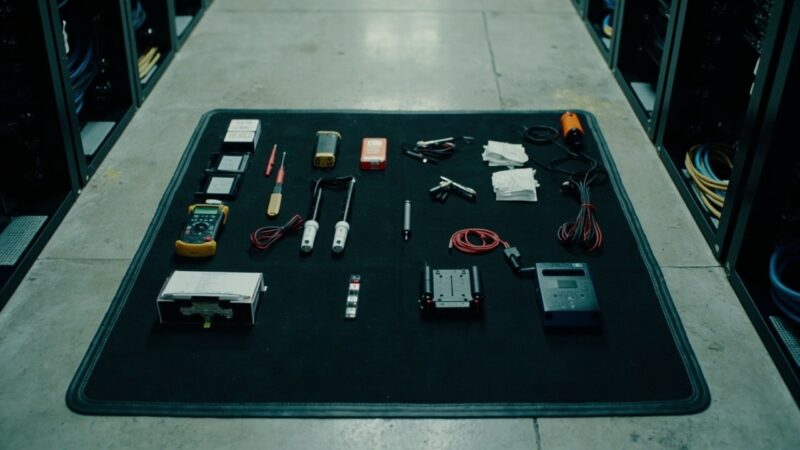
How to verify from your office that the remote hand did the job right: before/after photos, logbook and the 4 reports you must require

Your remote hands vendor executed a ticket 500 km away. How do you verify, without being physically there, that the work was done correctly? The answer is not ‘trust their word’. It is having a remote verification workflow that closes the operational distance between your office and the site. This article covers the 4 reports your vendor must deliver without you asking for them, the photo and logbook format, and the objective criteria to accept or reject the work without traveling. What follows applies to data centers with contracted remote hands vendors. The workflow is the same whether your vendor is 50 km or 5,000 km away. What changes is the rigor with which you demand the report — the greater the distance, the greater the detail.
The four reports below cover the full lifecycle of a remote hands intervention: before/during/after visual evidence, operation log, configuration diff, and post-intervention health metrics. A vendor who delivers all four on every ticket is one you can run a site with remotely; one who delivers only photos is one you cannot.
Report #1: Geo-referenced before and after photos
The baseline report. Without before/after photos, you have no way of knowing what the remote hands did. Requirements:
- BEFORE photo: state of the equipment/rack before the intervention. Must show the specific slot, the component serial number to be worked on, and the context (adjacent rack, labeling). The remote hand takes the photo with the ticket’s smartphone camera open with timestamp and geolocation (if the corporate smartphone allows it).
- DURING photo: if the intervention takes more than 5 minutes, a photo of the work in progress. Useful to detect whether the technician is working on the correct equipment.
- AFTER photo: state of the equipment/rack after the intervention. Must show clearly that the work was completed: new component installed, cable labeled, slot correctly filled.
- Minimum 3 photos per simple intervention. For complex interventions (full rack & stack, removal of old equipment), minimum 6-8 photos documenting each step. If your vendor only delivers 1 ‘after’ photo, distrust it.
If your vendor only delivers 1 ‘after’ photo, distrust it. It means they did not document the prior state and you cannot verify that the change was the one requested. Require minimum 3 photos as standard.
Report #2: Operation log with timestamps
Every action the remote hand takes must be logged with timestamp, operator name, and what was done. Format:
- Ticket received: timestamp when the vendor’s ticket system registered the request.
- Technician assigned: timestamp + name of the technician who took the ticket.
- Technician on site: timestamp of arrival at the rack.
- Intervention start: timestamp when work began.
- Each significant step: timestamp + brief description (power off, label cable, install component, power on, test).
- Intervention end: timestamp when work concluded.
- Tests run: ping, internal test, hardware diagnostics, smoke test, depending on the intervention.
- State at departure: rack left in operational state, alarms cleared, ticket ready to close.
The logbook lets you reconstruct exactly what was done and detect inconsistencies between what the ticket said and what was actually executed. If the vendor uses an internal ticket system, request CSV export of the timestamps, not just a PDF summary.
Report #3: Configuration diff (when applicable)
For interventions that modify configuration (firmware update, BIOS change, RAID rebuild, network reconfiguration, controller swap), the report must include before/after configuration. Format:
- Before-state snapshot of the relevant configuration (firmware version, BIOS settings, RAID configuration, network config).
- Change applied with the exact command or procedure used.
- After-state snapshot that proves the change took effect.
This report is critical for change audits. If your DC must comply with ISO/IEC 20000-1 or SOC 2, the configuration diff is a hard requirement, not optional.
Report #4: Post-intervention health metrics
The final report. After the intervention, the vendor must report the equipment’s health metrics to verify the change did not introduce a regression. Metrics:
- Temperature of the component(s) affected, measured after intervention and compared to baseline.
- Power consumption of the rack/PDU after intervention, compared to baseline.
- Alarms present on the management interface (iDRAC, iLO, BMC) after 24 hours of operation.
If any metric shows a regression > 10% from baseline, the vendor must report it before closing the ticket. This is the signal that distinguishes a clean intervention from a problematic one that will fail in the next 30 days.
The format of the consolidated report
All four reports consolidated in one document. Recommended format:
- Cover page with ticket ID, vendor, technician, date, intervention type.
- Section 1: before/after photos (embedded, not links to cloud storage that might expire).
- Section 2: operation logbook with timestamps.
- Section 3: configuration diff (if applicable).
- Section 4: health metrics.
- Section 5: technician signature (digital or scanned) acknowledging the work.
- Section 6: customer acceptance field (you sign after verifying remotely).
How to accept or reject the work from your office
Acceptance criteria for each report:
- Accept if: 3+ photos (before/during/after), timestamp logbook, health metrics within ±10% of baseline, configuration diff if applicable.
- Request clarification if: photos do not show the requested change, timestamps have gaps > 30 minutes that are not explained, metrics show > 10% deviation.
- Reject if: missing photos, missing logbook, metrics not reported, signs of work done on wrong equipment.
The rejection triggers an immediate call to the vendor’s account manager. Don’t close the ticket until the issue is resolved or the work is redone. A vendor who protests against the rejection criteria is a vendor who does not have the operational discipline to support remote sites.
The real case: when remote verification prevented a disaster
Real case (sanitized): an operator contracted remote hands to swap a failed disk in a RAID-5 array. The vendor reported the intervention as completed with photo of the new disk and the operation log. Health metrics: RAID status ‘optimal’. Ticket closed.
48 hours later, the array failed. Investigation showed the technician had installed the new disk in the wrong slot (not the failed one) and the original failed disk was still in place, degraded. The ‘RAID optimal’ report came from a 5-minute sample — the array had not yet started rebuilding.
The lesson: post-intervention health metrics should be measured after at least 24 hours of operation, not immediately. Update your report template to require a 24-hour post-intervention sample, not a 5-minute one. This single rule prevents the class of failure where the intervention looks good on paper but the equipment is still broken.
What to demand from the vendor in the contract
If you are formalizing the relationship with your vendor, include:
- Standard format of consolidated report.
- Technical annex with the template the vendor must use.
- Report delivery within 4 business hours post-intervention.
- Penalty if not delivered.
- Health metrics reported in standardized format (CSV or JSON) for integration with your monitoring system.
Access to the vendor’s ticket system to view the complete history. If your system and the vendor’s differ, integration via webhooks. Response time to clarifications: maximum 2 business hours to answer customer questions about the report. The serious vendor accepts them without issue. The one who resists is because they don’t have the internal operation to sustain them. That is valuable information for your decision to keep or change vendor.
Sources
- Uptime Institute — Operational Sustainability: Management and Reporting of Field Services — https://datacenter.uptimeinstitute.com/
- ISO/IEC 20000-1:2018 — Service Management: Reporting and Documentation Requirements — https://www.iso.org/standard/70636.html
- ITIL 4 Foundation — Incident Management and Service Request Fulfillment — https://www.axelos.com/certifications/itil-service-management/itil-4-foundation
- BICSI 002-2024 — Data Center Operations: Smart Hands Service Delivery — https://www.bicsi.org/standards/data-center
- TIA-942-B-2023 — Telecommunications Infrastructure Standard for Data Centers — https://www.tia.org/standards/tia-942
Want to master this?
Noxtel Academy →