CCTV and video surveillance for data centers: where to place cameras and where NOT to (hidden costs)

Video surveillance in a DC has a problem that manufacturer manuals do not mention: covering everything is counterproductive. Poorly placed cameras not only waste money on installation and recording bandwidth; they also generate useless alerts, inflated storage, and, most seriously, a false sense of security. Here is the real map of where you SHOULD and where you SHOULD NOT place them, with the hidden costs that no one invoices you upfront.
The 4 zones where a camera is mandatory
There are four locations where any physical security or TIA-942 auditor will demand a camera, and they are mandatory:
- Main DC access (personnel door): one camera covering the face of whoever enters, at 1.6 m height, with a 2.8-12 mm varifocal lens. Not a wide-angle camera over the door; you need facial identification.
- Access to the technical room, UPS room, or generator room: one camera per access, with the same 2.8-12 mm varifocal lens specification. Here the audit looks for evidence of who manipulated panels or transfer switches; without a camera, the incident has no identifiable responsible party.
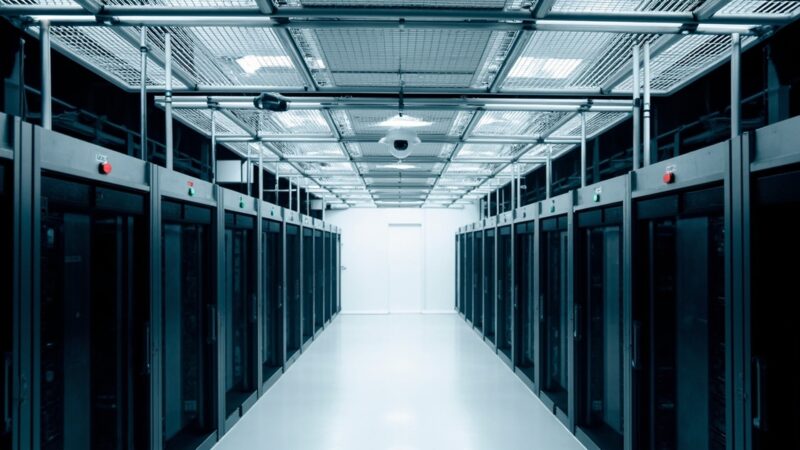
- Cold and hot aisles: one camera every 8-10 meters to cover the full aisle, with a 4-8 mm lens. Minimum resolution 4 MP, ideally 8 MP for cabinet recognition at 15 m distance. Aisle coverage is what insurance reviews first after a physical security event.
- Equipment loading and unloading docks: one camera with a view of the entire dock, including vehicle plates and the face of the unloading operator. The chain-of-custody audit requires that every piece of equipment entering the DC is recorded with timestamp; without a camera, there is no traceability of who brought what.
Where NOT to place a camera (and why)
The five zones where a camera is not only unnecessary but actively harmful:
- Inside individual racks or cabinets: useless for security, useful only if you want to see the blinking LEDs of a specific server. A DCIM with SNMP gives you that in text without saturating the video network.
- Ceilings or false ceilings: useless angle for facial recognition, high installation cost (requires scaffolding or lift), and usually obstructs emergency lighting.
- Restrooms and personnel lockers: illegal in most Mexican jurisdictions and a real legal risk. The audit expects NO cameras here.
- Over operating server racks: fan vibration and UTP cable occlusion make the video blurry. A rack door-open sensor (magnetic contact + DCIM) is better.
- Inside the raised technical floor: requires an IP67 camera with cabling under the false floor, extremely expensive maintenance, and the video serves no operational purpose.
The 3 hidden costs that no one invoices upfront
1. Recording bandwidth: 16 cameras at 4K and 30 fps = 32 Mbps sustained. If your security VLAN is not L3-separated, that load competes with your replicated storage traffic. Size the network before installing the cameras.
2. Storage: 30 days of retention at 4K = ~8 TB per camera. With 16 cameras that is 128 TB renewed every 5 years (drives). Forget traditional RAID 5; use Surveillance-rated drives (WD Purple, Seagate Skyhawk).
3. VMS licenses: many VMS platforms (Avigilon, Genetec, Milestone) charge per channel and per feature (LPR, facial recognition). One camera can cost USD 200-600/year in licenses alone. This is NOT in CAPEX, it is in OPEX, and no one told you.
How to size correctly
Practical rule derived from real projects:
- Base count: 1 camera per access (door, gate, operable window). This adds up to 4-6 cameras minimum in a small DC.
- Aisles: 1 camera per every 8 meters of aisle. For a 200 m² DC with 6 aisles, that is ~10 additional cameras.
- Redundancy multiplier: if you want NVR failover (storage), multiply cameras by 1.5x to maintain continuous coverage during NVR maintenance.
- Annual OPEX budget: rule of 12-18% of CAPEX in licenses, storage, and maintenance. If your provider offers CAPEX without mentioning OPEX, there is a hidden number.
Sources
- Axis Communications — Data Center Solutions (official solutions page). https://www.axis.com/en-us/solutions-by-industry/data-centers
- Genetec — Official manufacturer site (resources on physical security of data centers). https://www.genetec.com/
- ANSI/TIA-942-C — Telecommunications Infrastructure Standard for Data Centers (official standard, May 2024). https://tiaonline.org/resource/tia-942-c-data-center-infrastructure-standard/
Want to master this?
Noxtel Academy →