Daily precision air conditioning operator checklist: the 5 things you must see on the display before 9 AM
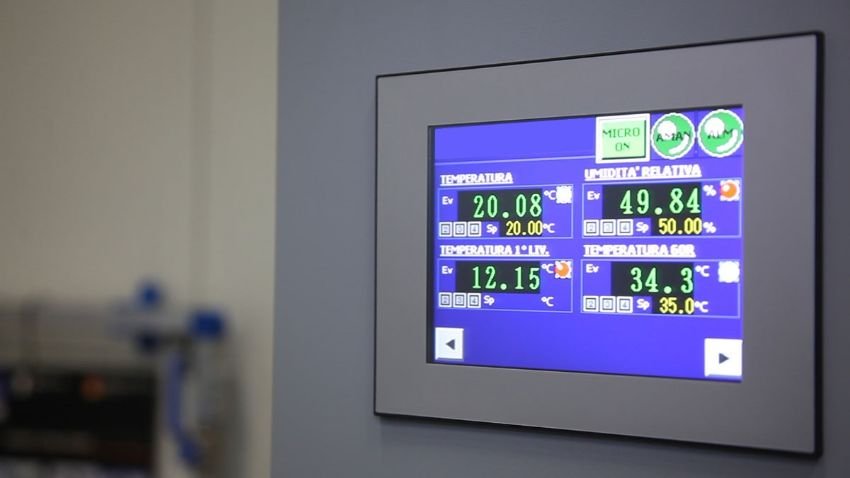
The data center operator who looks at the precision air conditioning display and notes ‘everything OK’ is accepting unnecessary risk. The display shows you 5 critical operational metrics in real time, but it does NOT tell you anything about dirty filters, blocked drainage, or abnormal vibrations, which are the #1 causes of catastrophic failures. This article covers the 5 things you MUST see on the display each shift, the 3 things the display does NOT tell you but require additional physical verification, and the logbook format your operator must use so this information is useful for audit.
The checklist applies to typical CRAC/CRAH units (Vertiv Liebert, Stulz CyberAir, Schneider, etc.). The alarms vary slightly between models but the basic operational metrics are the same.
What the display DOES tell you (the 5 critical metrics)
The display of a modern CRAC shows these 5 operational metrics:
- Return air temperature (air leaving the racks and returning to the CRAC). Typical ASHRAE A1 range: 18-27°C. Values outside this range trigger alarm.
- Supply temperature (cold air leaving the CRAC toward the racks). Typical: 15-22°C depending on design. The difference between return and supply indicates the effective cooling capacity.
- Relative humidity. Typical ASHRAE: 40-55%. Outside this range, risk of ESD (low humidity) or condensation (high humidity).
- Active alarms (count or list of active alarms). The display tells you how many alarms are active but usually does NOT tell you the root cause; the operator must investigate.
- Refrigerant pressure (gauge on physical models, reading on digital). Out-of-range values trigger immediate alarm and possible unit shutdown.
These 5 metrics are what the operator can see without tools. Each shift should record them all on the logbook.
How to interpret return temperature
Return temperature tells you how hot the air returning to the CRAC is. The reading is taken at the CRAC air intake, typically at the top or back of the unit. Interpretation:
- If it is between 22-26°C: normal operation. The data center is expelling the heat correctly and the CRAC is operating within its design range.
- If it is between 26-28°C: warning. The CRAC is operating at the upper limit. Check that the load has not increased (new equipment, higher density).
- Above 28°C: alert. The CRAC cannot maintain the design temperature. Risk of equipment damage from overheating. Escalate to operations supervisor.
Typical operator error: the operator sees 28°C on the display and notes ‘OK’. 28°C is alert, not OK. The operator must know that 22-26°C is normal, 26-28°C is warning, above 28°C is alert. Anything outside the range requires action.
How to interpret the difference between return and supply
The difference (delta T) between return and supply tells you the efficiency:
- Delta T of 8-12°C: efficient operation. The CRAC is extracting the correct amount of heat from the air.
- Delta T less than 5°C: the CRAC is barely working. Possible causes: low load, sensor failure, or the CRAC is in standby.
- Delta T greater than 15°C: the CRAC cannot handle the load. Risk of total loss of cooling if the situation worsens.
The operator must log the daily delta T. If it changes significantly from one day to the next without load change, there is a problem (sensor, airflow, refrigerant) that requires investigation.
How to interpret humidity
Humidity out of range generates 3 different problems:
- Humidity below 35%: ESD (electrostatic discharge) risk. Dry air does not dissipate static charges and components can be damaged during handling.
- Humidity above 60%: condensation risk. Condensation on cold surfaces (CRAC coils, rack inlets) can cause short circuits and equipment failure.
- Sudden humidity change: possible humidifier or CRAC failure. Investigate before humidity leaves the safe range.
The operator must note changes in humidity. If humidity rises progressively, possible external moisture infiltration (roof leak, HVAC pipe condensation). If it drops progressively, possible humidifier failure.
How to interpret refrigerant pressure
Refrigerant pressure is an early indicator of problems:
- Normal pressure in stable operation. If the reading is stable for 24+ hours, the circuit is healthy.
- Low pressure with low temperature: possible refrigerant leak. Investigate immediately. The unit will lose capacity progressively.
- High pressure with high temperature: possible condenser problem (dirty filter, fan failure, high ambient temperature).
- Rapidly oscillating pressure: possible moisture in the circuit or compressor problem. Call the service technician.
The operator must log pressure daily and detect trends. Pressure that drops 5% per week indicates a slow leak. Pressure that rises above the manufacturer range indicates condenser overload.
What the display does NOT tell you (the 3 things that require physical verification)
The display lies to you about 3 critical things:
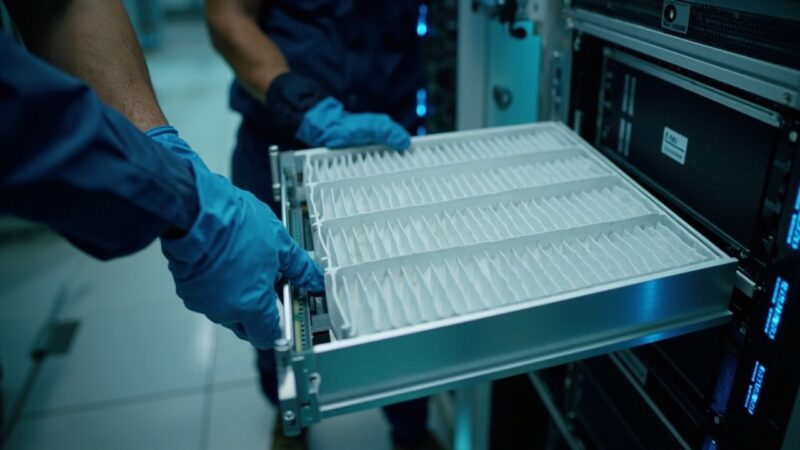
- Dirty air filters. The filter can be 80% obstructed and the CRAC continues to operate; the display shows the temperature is fine. But the cooling capacity is reduced 30-40% and the compressor works harder.
- Clogged drainage. The CRAC produces condensation that must drain. If the drain is clogged, water accumulates and can leak onto equipment below.
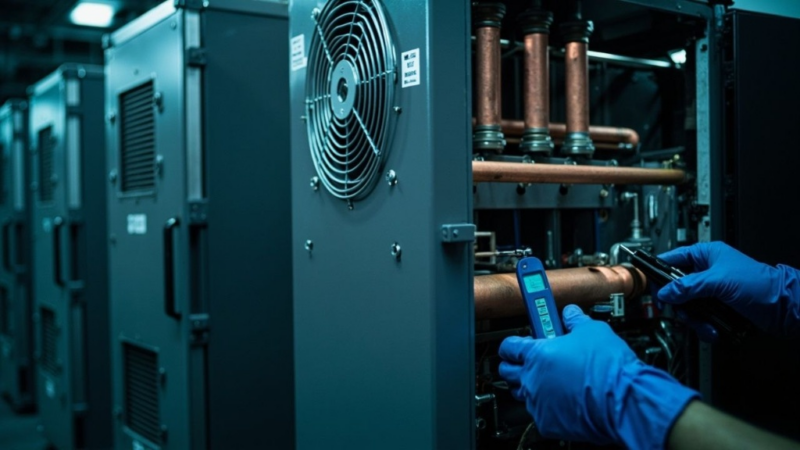
- Abnormal noise or vibration. Compressor or fan problems start with subtle changes in sound, not with an alarm. The operator must listen to the unit during physical inspection.
The 3 physical verifications are what separate the junior operator from the senior operator. The junior one only looks at the display. The senior one looks at the display AND inspects filters, drains, and listens to the unit. The cost difference between the two operators is the cost difference between preventive cleaning and emergency repair.
The complete daily checklist (logbook format)
What the operator must log each shift:
- Inspection time. Timestamp with HH:MM.
- Return and supply temperature. Both values, not just one. The difference (delta T) is calculated automatically.
- Humidity. Reading in percentage relative.
- Active alarms. Count or list of active alarms on the display.
- Refrigerant pressure. Reading in PSI or bar according to the unit.
- Air filter visual inspection. OK / dirty / cleaned.
- Condensate drain visual inspection. OK / clogged / cleaned.
- Abnormal noise or smell. Detect and describe.
This format generates 8 data points per shift x 3 shifts x 365 days = 8,760 annual entries. With this volume, trends analysis becomes possible: you can correlate a filter change with a drop in delta T, or a refrigerant pressure drop with the date of last compressor service.
When to escalate a detected anomaly
Immediate escalation criteria:
- Return temperature above 30°C: escalate to operations supervisor. Critical action: verify load is not exceeding CRAC capacity.
- Humidity above 65% or below 30%: escalate. Risk of condensation or ESD in the next hour.
- Active refrigerant pressure alarm: escalate immediately. The unit can fail in the next 30 minutes.
- Any active alarm the operator does not understand: escalate. Never close an alarm without understanding its meaning.
- Visible water leak: emergency. Evacuate the area if necessary.
- Burning smell or smoke: emergency. Evacuate and call fire department.
The operator must NOT wait for the next shift to escalate. The 6 conditions above require immediate action. If the operator waits, the failure becomes catastrophic and the recovery cost is 5-10x the prevention cost.
How to organize the logbook for audit
The logbook format must meet compliance requirements:
- Storage for minimum 3 years (5 years for SOC 2, 7 years for some financial regulations).
- Bound physical logbook (not loose sheets) for legal validity. Many auditors do not accept digital logs without a digital signature system.
- Each page dated and signed by the operator. Pages cannot be removed or substituted.
- Corrective actions taken, not just observations. ‘Filter cleaned 10/15 at 09:30’ is more useful for audit than ‘filter dirty’.
A common tool is the mobile app with predefined fields and automatic timestamp. It simplifies operator work and improves data consistency. But the legal validity depends on the jurisdiction; in Mexico, the bound physical logbook is still the standard for many audits.
The most expensive error: ‘everything OK’ when it is not
The #1 error I see in data centers: operator logs ‘everything OK’ routinely without really verifying. The reasons are 3:
- Lack of training on how to interpret metrics.
- Lack of time (operator under pressure to complete the checklist and move on).
- Lack of consequences (no one reviews it, so the operator learns that logging ‘OK’ has no cost).
The result: when there is an incident, the logbook says ‘everything OK’ 30 minutes before. The investigation reveals the filter was 80% obstructed, the drain clogged, and the compressor had a worn bearing. The operator did not detect any of this because he did not really verify, he just wrote ‘OK’.
Solution: train the operator in metric interpretation, give enough time to verify (3-5 minutes per shift is realistic), and review the logbook weekly with consequences for both good and bad logging. Without these 3 elements, the logbook is a bureaucratic formality that adds no value.
When the display is NOT enough and you need external thermometers
There are 3 scenarios where the CRAC display is not enough to verify temperature:
- Localized hot spots. The display measures average return temperature. A single rack with 15 kW of load can have 35°C at its front while the display shows 25°C. External thermometer at the rack front is necessary.
- Supply temperature at rack inlet vs at CRAC outlet. The supply air warms up between the CRAC and the rack. The display shows the CRAC outlet temperature, not the rack inlet temperature.
- Compliance with higher ASHRAE classes (A2, A3, A4). The display is calibrated for class A1. For higher classes, different sensors and alarm thresholds are required.
The calibrated external thermometer is cheap ($500-2,000 MXN) and resolves the 3 scenarios. Without it, you operate blind to localized problems that can damage specific equipment.
The maintenance plan that the checklist complements
The daily checklist does not replace scheduled preventive maintenance:
- Every 3 months: filter and drainage cleaning. Daily operator detects when the filter starts to get dirty; quarterly cleaning restores capacity.
- Every 6 months: refrigerant level check, electrical connections check.
- Annual: full preventive maintenance by certified technician. Includes compressor check, bearing check, refrigerant circuit pressure test.
The daily checklist is the ‘radar’ that detects problems. Scheduled maintenance is the ‘mechanic’ that fixes them. Both are necessary; neither replaces the other. A data center that only does one of the two will have preventable failures.
The checklist as a training tool
The checklist also serves to train new operators:
- The checklist standardizes what is verified. New operators know what to look at from day 1.
- The checklist generates baseline data. After 30 days, the operator has a baseline of ‘normal’ values and can detect anomalies.
- The checklist documents operational knowledge. When the operator rotates, the next operator can review the logbook and learn from the trends.
A well-implemented checklist converts daily operation into a learning process. Without it, each operator learns by failing. The cost difference between learning by failing and learning by checking is the cost of the failures that could have been prevented.
Summary: the 5+3 your operator must verify
The minimum viable:
- 5 metrics on the display: return temperature, supply temperature, delta T, humidity, refrigerant pressure.
- 3 physical verifications: air filter, condensate drainage, abnormal noise.
- Logged every shift in a bound logbook with operator signature.
- Reviewed weekly by the data center manager with consequences for both good and bad logging.
The operator who executes the 5+3 daily, with documented logbook and timely escalation, prevents 80% of catastrophic failures. The remaining 20% requires scheduled maintenance and capital projects. The combination of both is operational discipline.
Sources
- ASHRAE TC 9.9 — https://www.ashrae.org/technical-resources/bookstore/thermal-vigilance-for-data-processing-environments
- NFPA 75 — https://www.nfpa.org/codes-and-standards/all-codes-and-standards/list-of-codes-and-standards/detail?code=75
- Uptime Institute — https://datacenter.uptimeinstitute.com/
- BICSI Data Center — https://www.bicsi.org/standards/data-center
- ISO/IEC 20000-1:2018 — https://www.iso.org/standard/70636.html
Want to master this?
Noxtel Academy →