How to reduce the PUE of your data center without changing equipment: 7 low-cost actions

Your PUE is at 1.8 and you want to drop it to 1.4 without buying new chillers or UPS units. It is possible, up to a point. The actions in this article are operational and configurational — they do not require major capex or civil works. Most of them you can do with your own staff or a junior integrator in 2-4 weeks each. Some are free, others cost between MXN $50k and $500k (USD $3k-30k at 17.5 MXN/USD, verify Banxico FIX on publication day).
What is PUE and why it matters
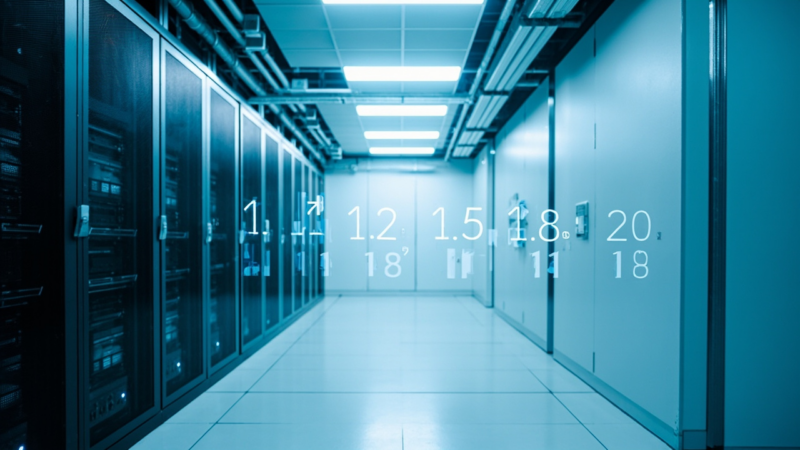
PUE = total data center energy / IT load energy. A PUE of 1.0 is theoretical (all energy goes to servers). A PUE of 1.8 means that for every watt reaching your servers, your data center consumes 0.8 additional watts in cooling, UPS, lighting, and distribution. The modern hyperscale standard is 1.1-1.2. Most corporate on-prem sites are at 1.5-2.0. Closing that gap directly reduces the electricity bill without touching the IT load.
The 7 low-cost actions
- Raise temperature setpoints to the high end of the ASHRAE range. ASHRAE TC 9.9 recommends operating between 18-27°C (64-81°F) and 40-55% humidity. Most DCs are configured to 20-22°C (68-72°F) out of fear, which represents 25-40% more cooling energy than operating at 25°C (77°F). Raising the setpoint by 2-3°C is a 1-day action with zero cost, and reduces PUE by 0.1-0.2. The condition: measure temperature at multiple points along the aisle and verify there are no hotspots.
- Power down or reduce redundant CRAC units. The common practice is N+1 CRAC: N units cover the load, one is on standby. If the standby unit is running at 30% (in ‘ready’ mode), it is consuming 30% of its power without contributing. Powering it down completely and letting the N units cover the load with margin is perfectly safe as long as redundancy is maintained by design (not by continuous operation). Action: 1 week of analysis + 1 day of reconfiguration.
- Isolate cold and hot aisles. If your DC has cabinets in open rows without containment, you are mixing cold supply air with hot return air. Each kilowatt of mixing costs you extra cooling watts. The solution is installing containment curtains (cold aisle containment) or panels to separate supply from return. Cost: $200-500 USD per cabinet including materials. Time: 2-4 weeks for 30-50 cabinets. Expected PUE reduction: 0.1-0.3.
- Optimize the UPS to operate at 60-80% load. Online double-conversion UPS units have peak efficiency around 50-80% of nominal load. Operating at 20-30% load (common in DCs with low IT load) means you are paying 8-12% losses in the UPS when you could be paying 4-5%. Solutions: (a) consolidate load onto fewer UPS modules and power down the underutilized ones; (b) switch to ECO mode during low-load hours. Action: 2-4 weeks of manufacturer analysis.
- Audit and power down zombie servers. A zombie server is one that is on, connected to the network, but runs no useful workload (the application was retired but the VM remains). Each server consumes 100-400W empty. Audit with a DCIM tool (Sunbird, NetBox + scripts, Schneider EcoStruxure) and powering down 20-40 zombies reduces the IT load that the UPS must sustain. This lowers PUE because cooling energy scales with IT load, not with total energy.
- Switch lighting to LED with occupancy sensors. Data center lighting typically consumes 1-3% of total energy. Switching from fluorescent to LED reduces that by 60-80%. Adding occupancy sensors in low-traffic areas turns off lights automatically. Cost: MXN $30-80k for 200-500 m² (USD $1.7k-4.6k). Return: 1-2 years.
- Negotiate the electricity contract for off-peak hours. CFE (Mexico’s national utility) has differentiated rates: base, intermediate, and peak. If your DC consumes 24/7, there is not much to do. But if you have variable load (batch processing, backup windows), moving heavy loads to base hours reduces the rate without changing the energy consumed. The action is contractual with CFE, not technical — usually takes 1-3 months with CFE’s commercial area.
How to measure progress
You cannot improve what you do not measure. Before implementing any of the 7 actions, you need to instrument the measurement. The minimum viable setup is: a meter on the data center’s electrical service side (total energy) and a meter at the UPS output or on the PDUs feeding the IT load. The difference divided gives you PUE in real time. With those two meters, you calculate monthly PUE and graph it. The monthly trend tells you whether each action is working.
When these actions are not enough
If after implementing all 7 your PUE is still above 1.5, the next step requires capex: swap chillers for more efficient free-cooling units, refit the UPS, or migrate to liquid cooling in hotspots. The good news is that with PUE improved to 1.4 via these actions, the ROI of the next capex is much better because the baseline is lower.
Practical recommendation
Start with actions 1 and 2 (zero cost). Measure PUE before and after. If you see a real improvement, justify to your management actions 3 and 4 (containment + UPS) which have the highest impact. Actions 5, 6, and 7 are complementary. Save the CFE negotiation for when you already have PUE <1.5 — it is easier to defend a discount with an efficient data center than with a wasteful one.
Sources
- The Green Grid — homepage — https://www.thegreengrid.org/
- Vertiv — homepage — https://www.vertiv.com/
- ASHRAE — TC 9.9 Datacom series (recommended temperature ranges) — https://www.ashrae.org/
- Uptime Institute — Annual Global Data Center Survey (PUE benchmarks) — https://uptimeinstitute.com/resources/asset/2024-global-data-center-survey-results
Want to master this?
Noxtel Academy →