Static bypass vs maintenance bypass in UPS: when each protects (and when it doesn’t)

1. Who decides the transfer
Static bypass: the UPS control decides automatically (or the operator from the panel). Maintenance bypass: the operator decides manually with a physical breaker. The difference matters because in static bypass, the transfer is documented in logs and event records; in maintenance bypass, what remains is the breaker’s traceability (closed/open, locked or not).
2. What protection the load has during bypass
Static bypass: the load is exposed to the AC mains with no filtering or regulation. A CFE transient, a voltage spike, a grid outage: all of it goes straight to the load. Maintenance bypass: the load is equally exposed to the AC mains, but through the maintenance panel breaker. If the panel includes a TVSS (Transient Voltage Surge Suppressor) or a harmonic filter upstream, the load receives that level of protection.
In practice, both leave the load without battery backup. The difference is the power quality between the input transformer and the load.
3. When each is used
Static bypass: continuously, as an alternate UPS operating mode for events. The load can sit on static bypass for hours on a large UPS. Maintenance bypass: during service windows, typically hours to a day, while performing tasks that require opening the UPS (power module swaps, major firmware updates, board repairs, etc.).
4. What happens if the operator makes a mistake
Static bypass: if the UPS self-commutates to bypass because of a real condition (overload), the operator can’t prevent it; they can only monitor and try to resolve the condition. Maintenance bypass: if the operator opens the output breaker before closing the bypass, the load loses power. In systems with an STS (Static Transfer Switch) downstream, the load shifts to the second source; without an STS, the load sees a total outage.
When static bypass does NOT protect you
Three common scenarios where the static bypass exists but doesn’t solve the problem:
- Bypass SCR failure. Power semiconductors age. A shorted SCR puts the UPS in permanent bypass, with no way to return to normal mode until the module is replaced. If you don’t have a maintenance bypass, the only way to take the UPS out of service is to cut power to the load or move it through another available source (STS, N+1 redundancy with another UPS).
- Major firmware update. Changing the firmware version on the UPS control module normally requires a control reboot. During that reboot, the static bypass logic may be in an unknown state. Some manufacturers document that the UPS stays in bypass during the reboot; others require maintenance bypass to guarantee full isolation.
- Replacing a power module. In modular architectures (Schneider Symmetra PX, Vertiv NXC, ABB PowerWave), the power modules are hot-swappable. But the main control board, the display, or the static bypass module itself are not hot-swappable. For those, you need a maintenance bypass.
When maintenance bypass IS mandatory
Maintenance bypass is not optional in these situations:
- Any UPS of 10 kVA or more under a contracted SLA Tier II or higher. TIA-942 and Uptime Institute require it as part of the data center’s electrical topology. Without an external bypass panel, your UPS cannot be maintained without a downtime window.
- UPS control board replacement. The board is the brain; without maintenance bypass, the UPS is left in static bypass (mains directly to load) or fully out of service. Neither option is acceptable in production.
- Replacement of the entire static bypass module. Paradoxically, to repair the static bypass you need a bypass to isolate it. That’s the maintenance bypass.
- Annual UPS maintenance. Most manufacturers (Schneider, Vertiv, Eaton, ABB) recommend in their preventive maintenance procedure leaving the UPS on maintenance bypass for several hours to take measurements, run thermography, and clean internally with the equipment de-energized.
How a maintenance bypass panel is set up
Three common configurations, in order of complexity:
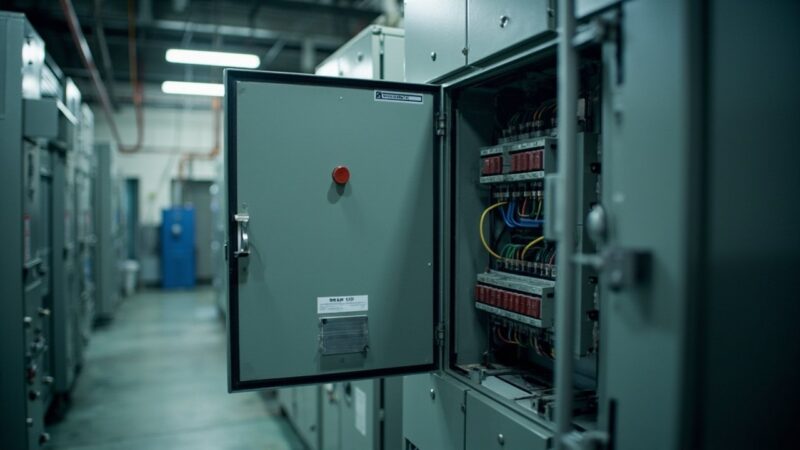
Option A — breakers in the same UPS cabinet. The simplest. The manufacturer includes a compartment with two or three breakers (bypass input, UPS output, common output) behind a lockable door. Symmetra PX, Vertiv NXC, and Eaton 93PM all ship this way. The advantage is physical and logical integration with the UPS. The disadvantage is that they share the same cabinet, so a severe UPS fault can affect the panel.
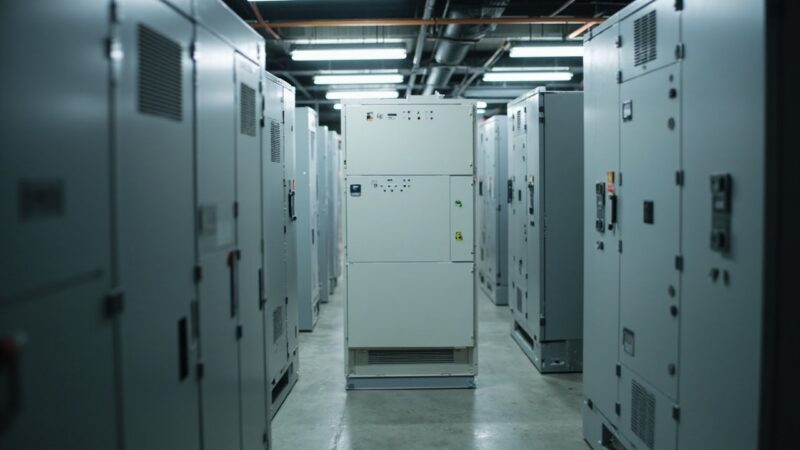
Option B — separate bypass panel in an adjacent rack. The most common in mid-size data centers. A 6U to 12U cabinet with three motorized or manual breakers, mounted next to the UPS or in a separate electrical room. Brands like Schneider (SBP series), ABB (MBB panel), Eaton (MBP), and Vertiv (MBP) sell these panels as accessories.
Option C — maintenance bypass in the main electrical switchboard (Panelboard/Switchgear). In data centers with main distribution switchboards, the maintenance bypass is implemented with switches inside the switchgear itself. The most robust configuration but it requires deeper electrical engineering and RETIE/NOM compliance in Mexico.
Errors we see in the field
- Confusing static bypass with maintenance bypass during an intervention. The technician operates the control panel, sees the UPS is on static bypass, and opens the UPS believing the load is still fed by the maintenance panel. It isn’t: the load only has the UPS’s internal bypass. If the UPS fails at that moment, the load drops.
- Skipping Lockout/Tagout (LOTO). After moving to maintenance bypass and before opening the UPS, the UPS breakers must be locked and tagged (Lockout/Tagout). OSHA 29 CFR 1910.147 and NOM-004-STPS-1999 in Mexico require it. Without LOTO, a second technician could re-energize the UPS without knowing someone is inside.
- Not verifying synchronization before returning. When maintenance is done, the operator must confirm the UPS is synchronized with the mains before closing the output breaker. If the UPS isn’t synchronized (frequency or phase off), the transfer generates a transient that can trip downstream protection or damage sensitive equipment.
- Oversizing the bypass panel without oversizing the service entrance. A 200 A bypass panel connected to a 100 A service entrance protects nothing; the weakest link is still the service entrance. Engineering must go together: service entrance, UPS, bypass panel, main breaker.
Practical recommendation
If your UPS is 10 kVA or more and doesn’t have a maintenance bypass panel, that is the first investment you should make before any major maintenance. The panel cost is 8% to 15% of the UPS cost; the cost of an unplanned outage during maintenance is, at best, a few hours of downtime and, at worst, data or equipment loss. The math is obvious.
If your UPS already has a maintenance bypass, document the procedure. Post it on the UPS door. Train at least two people on the sequence. Run an annual drill with real load (or simulated with a resistive load) to verify that all breakers respond, that LOTO works, and that technicians don’t make sequence mistakes under pressure.
Your UPS is in maintenance. The technicians need to open it, swap a power module, or update firmware. The question isn’t whether the UPS should keep powering the load while they do that, but how it’s done without interrupting service. That question has two different technical answers, with similar names and opposite consequences: static bypass and maintenance bypass. Confusing them is one of the most expensive ways to learn in a data center.
Before comparing them, let’s clarify something most technical documentation mixes up: both are bypass, both serve to keep the load energized while the UPS isn’t feeding it through its normal path, but their purpose, their mode of operation, and their moment of use are completely different. The static bypass is an internal automatic mechanism of the UPS. The maintenance bypass is an external panel with breakers operated by a human.
Static bypass: the internal automatic switch
The static bypass is a circuit inside the UPS that uses a solid-state switch (SCRs or anti-parallel IGBTs) to connect the AC input directly to the UPS output, bypassing the inverter. The transfer happens in less than a quarter of a cycle (4 to 5 milliseconds in modern systems), fast enough that the load sees no interruption.
The static bypass activates automatically in three situations:
- Sustained inverter overload. If the load demand exceeds the inverter’s capacity (for example, a startup inrush from equipment the UPS can’t handle), the UPS transfers the load to static bypass to protect itself. The transfer is automatic and reversible: once the load is back within the inverter’s range, the UPS returns to normal mode.
- Internal UPS fault. If the inverter fails, the control detects the condition and transfers to static bypass. The load stays energized, but now from the AC mains without UPS protection. This transfer is automatic and irreversible until technical intervention.
- Operator manual command. The operator can force the UPS to static bypass from the control panel (in Schneider Symmetra, PowerView → Control → UPS into Bypass) to perform tests or temporary load shifts.
The critical thing about static bypass is what it does NOT provide: while the load is in bypass, it’s connected directly to the AC mains. There’s no voltage regulation, no harmonic filtering, no battery backup in case of a mains outage. If CFE drops at that moment, the load drops with it. Static bypass protects the UPS from itself; it doesn’t protect the load from the grid.
Maintenance bypass: the external panel with breakers
The maintenance bypass is a panel separate from the UPS (physically, a cabinet with breakers or transfer switches) that lets you fully isolate the UPS from the mains and from the load, while still delivering energy to the load from the AC mains through an alternate path.
Unlike the static bypass, the maintenance bypass is 100% manual. The operating sequence in a typical three-phase system is:
- Force the UPS to static bypass from the control panel (PowerView, LCD, NMC). This moves the load to the UPS’s internal bypass path, but the UPS stays energized.
- Close the maintenance bypass breaker (MBB, Maintenance Bypass Breaker). This creates a parallel electrical path between the AC mains and the load, through the external panel. The load now has two sources: the UPS output and the bypass breaker. The UPS still isn’t isolated.
- Open the UPS output breaker (ISB, Isolation Breaker). This physically disconnects the UPS from the load. The load is now powered only from the maintenance bypass. The UPS is fully isolated and can be safely opened, de-energized, and serviced.
- To return: close the UPS output breaker, wait for synchronization, open the maintenance bypass breaker, return the UPS to normal mode from the control panel. The reverse sequence.
This sequence, properly executed, is invisible to the load. Poorly executed — opening the output breaker before closing the bypass, for example — produces an interruption ranging from a few hundred milliseconds to several seconds, depending on operator reaction time and the downstream equipment’s ability to tolerate micro-outages.
The four differences that matter
1. Who decides the transfer
Static bypass: the UPS control decides automatically (or the operator from the panel). Maintenance bypass: the operator decides manually with a physical breaker. The difference matters because in static bypass, the transfer is documented in logs and event records; in maintenance bypass, what remains is the breaker’s traceability (closed/open, locked or not).
2. What protection the load has during bypass
Static bypass: the load is exposed to the AC mains with no filtering or regulation. A CFE transient, a voltage spike, a grid outage: all of it goes straight to the load. Maintenance bypass: the load is equally exposed to the AC mains, but through the maintenance panel breaker. If the panel includes a TVSS (Transient Voltage Surge Suppressor) or a harmonic filter upstream, the load receives that level of protection.
In practice, both leave the load without battery backup. The difference is the power quality between the input transformer and the load.
3. When each is used
Static bypass: continuously, as an alternate UPS operating mode for events. The load can sit on static bypass for hours on a large UPS. Maintenance bypass: during service windows, typically hours to a day, while performing tasks that require opening the UPS (power module swaps, major firmware updates, board repairs, etc.).
4. What happens if the operator makes a mistake
Static bypass: if the UPS self-commutates to bypass because of a real condition (overload), the operator can’t prevent it; they can only monitor and try to resolve the condition. Maintenance bypass: if the operator opens the output breaker before closing the bypass, the load loses power. In systems with an STS (Static Transfer Switch) downstream, the load shifts to the second source; without an STS, the load sees a total outage.
When static bypass does NOT protect you
Three common scenarios where the static bypass exists but doesn’t solve the problem:
- Bypass SCR failure. Power semiconductors age. A shorted SCR puts the UPS in permanent bypass, with no way to return to normal mode until the module is replaced. If you don’t have a maintenance bypass, the only way to take the UPS out of service is to cut power to the load or move it through another available source (STS, N+1 redundancy with another UPS).
- Major firmware update. Changing the firmware version on the UPS control module normally requires a control reboot. During that reboot, the static bypass logic may be in an unknown state. Some manufacturers document that the UPS stays in bypass during the reboot; others require maintenance bypass to guarantee full isolation.
- Replacing a power module. In modular architectures (Schneider Symmetra PX, Vertiv NXC, ABB PowerWave), the power modules are hot-swappable. But the main control board, the display, or the static bypass module itself are not hot-swappable. For those, you need a maintenance bypass.
When maintenance bypass IS mandatory
Maintenance bypass is not optional in these situations:
- Any UPS of 10 kVA or more under a contracted SLA Tier II or higher. TIA-942 and Uptime Institute require it as part of the data center’s electrical topology. Without an external bypass panel, your UPS cannot be maintained without a downtime window.
- UPS control board replacement. The board is the brain; without maintenance bypass, the UPS is left in static bypass (mains directly to load) or fully out of service. Neither option is acceptable in production.
- Replacement of the entire static bypass module. Paradoxically, to repair the static bypass you need a bypass to isolate it. That’s the maintenance bypass.
- Annual UPS maintenance. Most manufacturers (Schneider, Vertiv, Eaton, ABB) recommend in their preventive maintenance procedure leaving the UPS on maintenance bypass for several hours to take measurements, run thermography, and clean internally with the equipment de-energized.
How a maintenance bypass panel is set up
Three common configurations, in order of complexity:
Option A — breakers in the same UPS cabinet. The simplest. The manufacturer includes a compartment with two or three breakers (bypass input, UPS output, common output) behind a lockable door. Symmetra PX, Vertiv NXC, and Eaton 93PM all ship this way. The advantage is physical and logical integration with the UPS. The disadvantage is that they share the same cabinet, so a severe UPS fault can affect the panel.
Option B — separate bypass panel in an adjacent rack. The most common in mid-size data centers. A 6U to 12U cabinet with three motorized or manual breakers, mounted next to the UPS or in a separate electrical room. Brands like Schneider (SBP series), ABB (MBB panel), Eaton (MBP), and Vertiv (MBP) sell these panels as accessories.
Option C — maintenance bypass in the main electrical switchboard (Panelboard/Switchgear). In data centers with main distribution switchboards, the maintenance bypass is implemented with switches inside the switchgear itself. The most robust configuration but it requires deeper electrical engineering and RETIE/NOM compliance in Mexico.
Errors we see in the field
- Confusing static bypass with maintenance bypass during an intervention. The technician operates the control panel, sees the UPS is on static bypass, and opens the UPS believing the load is still fed by the maintenance panel. It isn’t: the load only has the UPS’s internal bypass. If the UPS fails at that moment, the load drops.
- Skipping Lockout/Tagout (LOTO). After moving to maintenance bypass and before opening the UPS, the UPS breakers must be locked and tagged (Lockout/Tagout). OSHA 29 CFR 1910.147 and NOM-004-STPS-1999 in Mexico require it. Without LOTO, a second technician could re-energize the UPS without knowing someone is inside.
- Not verifying synchronization before returning. When maintenance is done, the operator must confirm the UPS is synchronized with the mains before closing the output breaker. If the UPS isn’t synchronized (frequency or phase off), the transfer generates a transient that can trip downstream protection or damage sensitive equipment.
- Oversizing the bypass panel without oversizing the service entrance. A 200 A bypass panel connected to a 100 A service entrance protects nothing; the weakest link is still the service entrance. Engineering must go together: service entrance, UPS, bypass panel, main breaker.
Practical recommendation
If your UPS is 10 kVA or more and doesn’t have a maintenance bypass panel, that is the first investment you should make before any major maintenance. The panel cost is 8% to 15% of the UPS cost; the cost of an unplanned outage during maintenance is, at best, a few hours of downtime and, at worst, data or equipment loss. The math is obvious.
If your UPS already has a maintenance bypass, document the procedure. Post it on the UPS door. Train at least two people on the sequence. Run an annual drill with real load (or simulated with a resistive load) to verify that all breakers respond, that LOTO works, and that technicians don’t make sequence mistakes under pressure.
Sources
[1] Schneider Electric — FAQ FA157468: Proper way to place a Symmetra LX into maintenance bypass — https://www.se.com/us/en/faqs/FA157468/
[2] Fuji Electric Americas — Internal Bypass vs Maintenance Bypass in UPS Systems — https://americas.fujielectric.com/understanding-the-difference-between-internal-bypass-and-maintenance-bypass-in-ups-systems/
[3] EnerSys — XMBS: A New UPS Bypass Architecture (white paper) — https://www.enersys.com/493bb4/globalassets/industries/communications-networks/central-officeswitch-center/xmbs-a-new-ups-bypass-architecture.pdf
[4] ANSI/TIA-942-C — Topology and electrical requirements for Tier II+ data centers — https://tiaonline.org/standards/
[5] NOM-004-STPS-1999 — Protection systems and safety devices — https://www.dof.gob.mx/nota_detalle.php?codigo=4943629&fecha=31/05/1999
Want to master this?
Noxtel Academy →